In the last step, Design & download, you choose how your CV looks. Click a design to see it in the preview — you can switch as often as you like without losing anything.
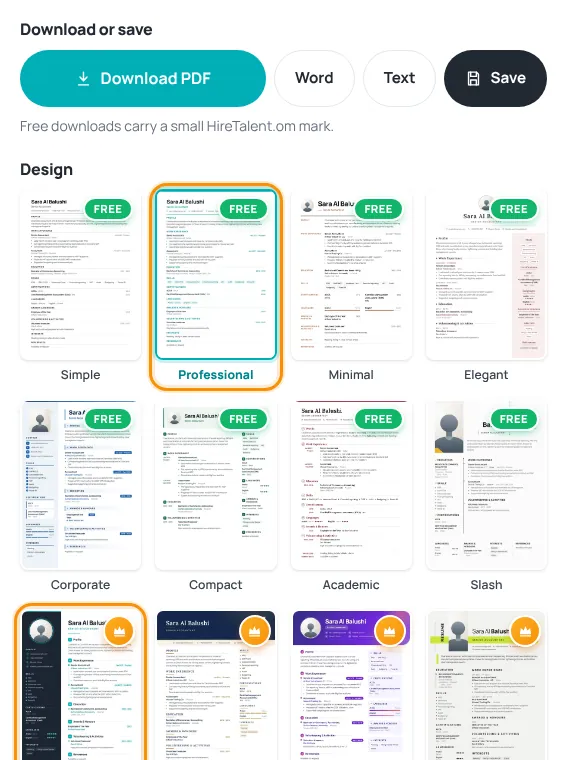
Free designs
Designs with the green Free badge cost nothing. You can download them as PDF, Word or text. Free downloads carry a small HireTalent.om mark.
Premium designs
- Designs with a gold crown are premium.
- While a premium design is locked, the preview shows it with demo content, so you can judge the design.
- Unlocking is a one-time payment per CV. It unlocks all premium designs for that CV, without the HireTalent mark, in PDF and Word. The price is shown on the button and at checkout.
Unlock a premium design
- Choose a design with a crown and press Download PDF (or Word).
- In the window “This is a premium design”, press Unlock for ….
- Pay by card on the checkout page (see Paying on HireTalent).
- You come back to the CV builder and your download starts.
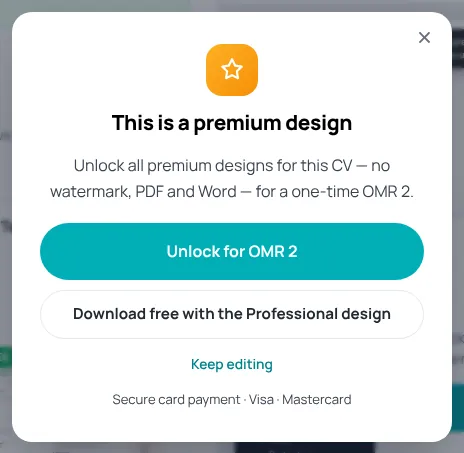
Changed your mind? Press Download free with the Professional design — your CV is switched to the free Professional design and downloaded.
Was this article helpful?
Thanks for your feedback!
Sorry about that. Tell us what was missing in a support ticket and we will help you. Open a support ticket
Related articles
Build your CV step by stepChoose the purpose and language, then fill in 7 short steps with a live preview.Download and save your CVDownload as PDF, Word or text, save to your account and find your CVs later.Paying on HireTalentHow checkout works: card payment with Thawani, discount codes and pending orders.
