The free CV builder makes a clean, professional CV in minutes — for a job or for a university application, in English or Arabic. You can start without an account; your draft is saved automatically in your browser.
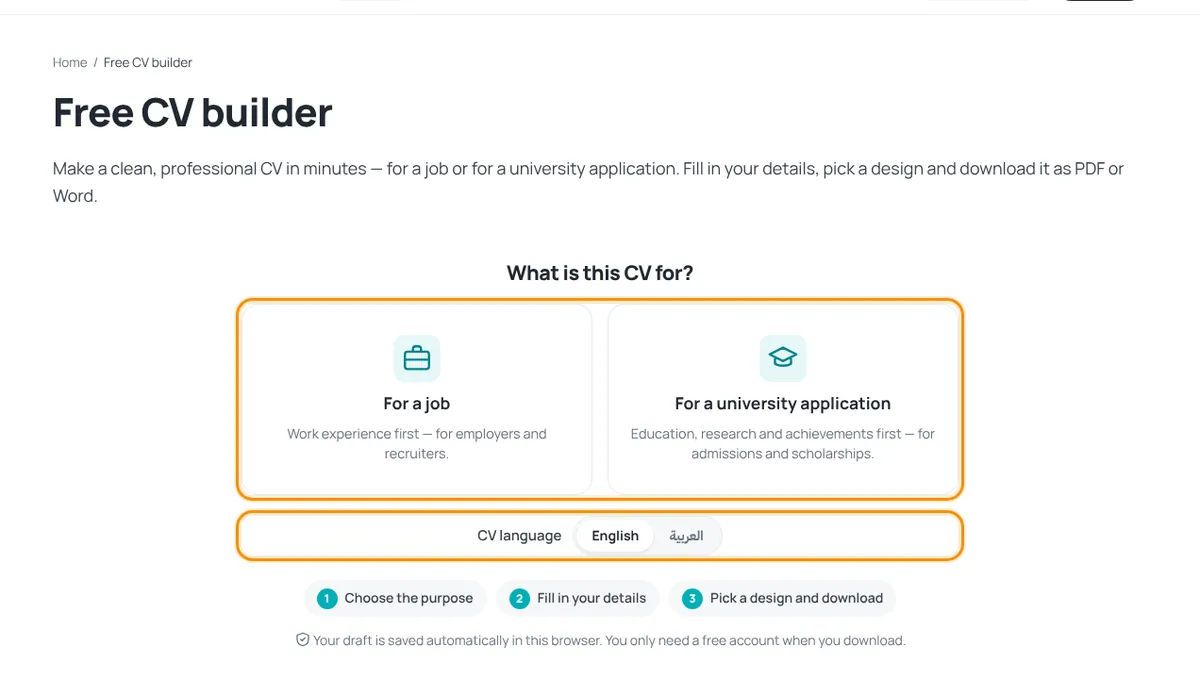
1. Choose the purpose and language
- Open CV builder in the header.
- Choose For a job (work experience first) or For a university application (education, research and achievements first).
- Under CV language choose English or العربية. This is the language of the CV itself.
2. Fill in the steps
A job CV has 7 steps; the progress bar and numbered steps at the top show where you are. Click any step to jump to it.
- Personal details — name (required), job title, email, phone, city, LinkedIn, website and an optional photo.
- Professional summary — 3–4 sentences about who you are and what you are looking for.
- Work experience — most recent job first; write one achievement per line.
- Education — your highest qualification first.
- Skills & languages — type a skill and press Enter; add your languages and certifications.
- More sections (optional) — projects, awards, volunteering, test scores, interests, references…
- Design & download — pick a design and download. See CV designs and Download and save your CV.
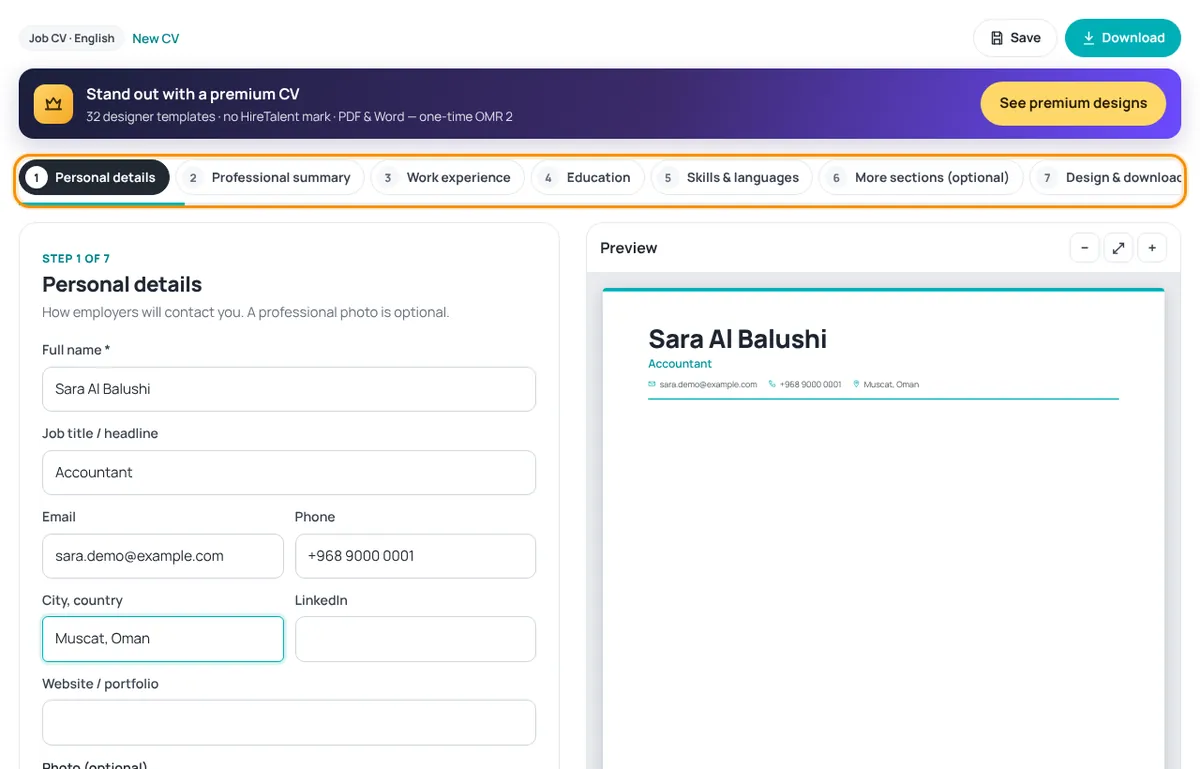
Use Next and Back at the bottom of each step. The preview updates as you type; use − and + to zoom.
Signed in with a job profile? Your CV is filled in from your profile — just check it and add anything missing.
On a phone
The form fills the screen. Use the bar at the bottom: back, save, Preview and next.
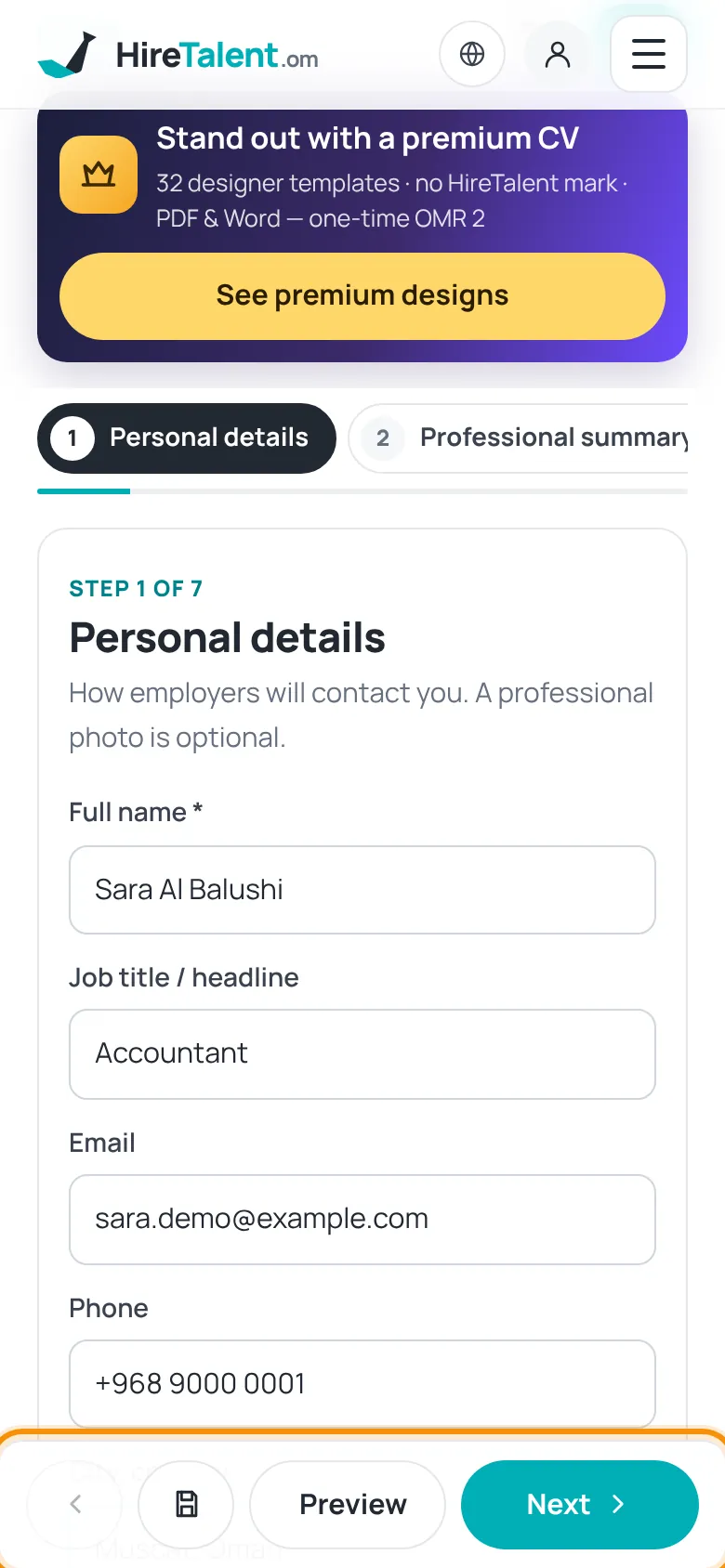
The draft is stored only in this browser until you save it to your account. Press Save to keep it safe and open it on other devices.
Was this article helpful?
Thanks for your feedback!
Sorry about that. Tell us what was missing in a support ticket and we will help you. Open a support ticket
Related articles
CV designs: free and premiumWhat the green Free badge and the gold crown mean, and how to unlock premium designs.Download and save your CVDownload as PDF, Word or text, save to your account and find your CVs later.Your job profileCreate your job-seeker account and tell us what you are looking for — section by section.
