Support tickets reach the right person straight away and keep the whole conversation in one place. We usually reply within one business day and email you when we do.
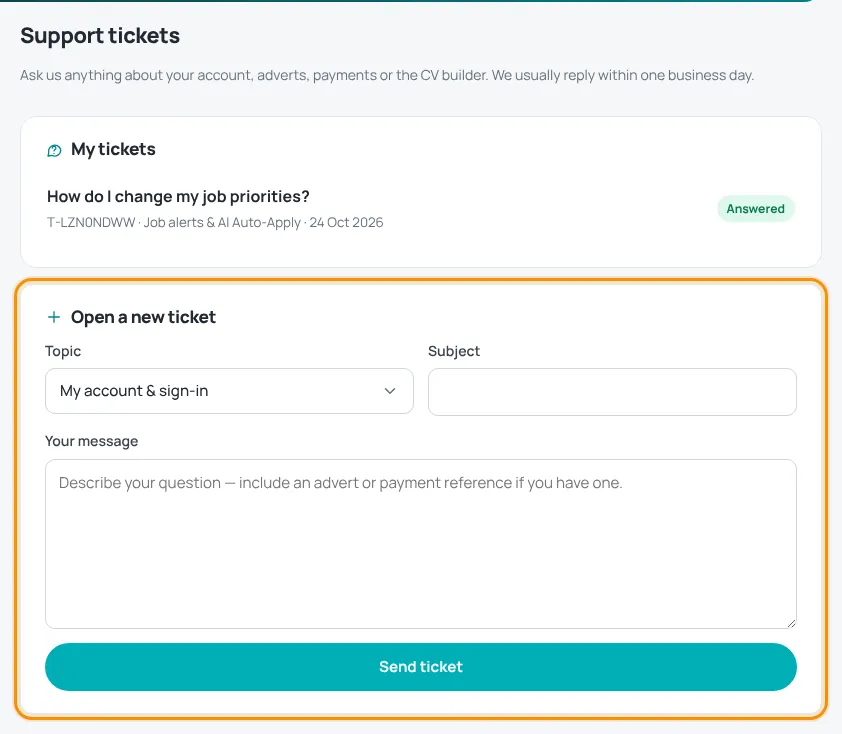
Open a ticket
- Sign in and open My account › Support.
- Under Open a new ticket, choose a Topic: My account & sign-in, Posting a job advert, Payments & invoices, CV builder, Job alerts & AI Auto-Apply, Report a job or company, or Something else.
- Write a short Subject and describe your question in Your message. Add an advert reference (HT-…) or payment reference (PAY-…) if you have one.
- Press Send ticket.
Follow and reply
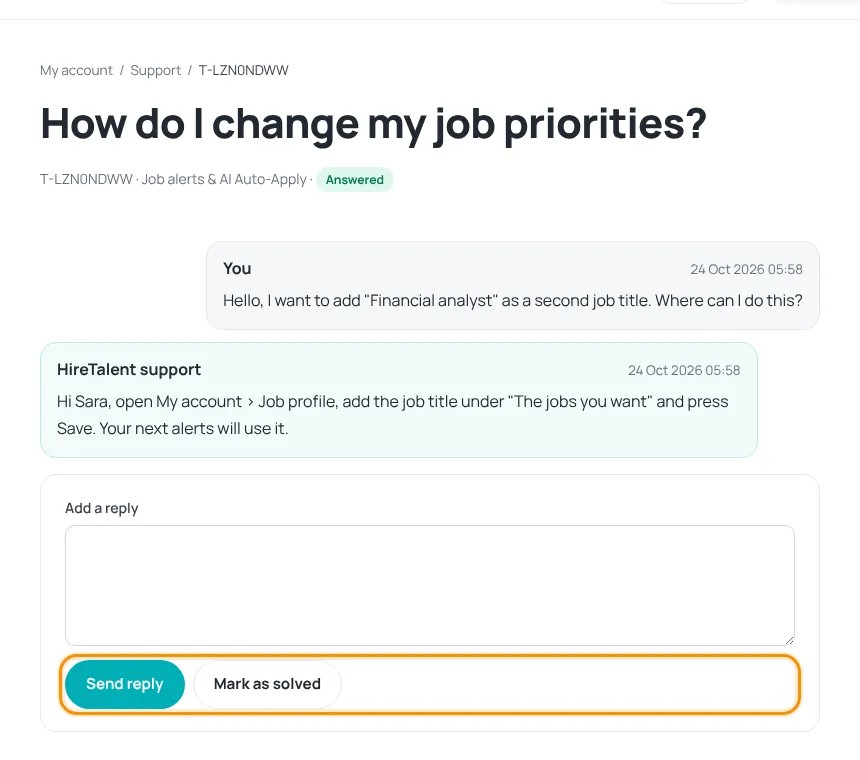
- Each ticket shows its status: Waiting for our reply, Answered or Closed.
- A number on the Support tab shows new replies.
- Open a ticket to read the conversation, then use Send reply to answer.
- Problem solved? Press Mark as solved. Writing a reply to a closed ticket opens it again.
No account and cannot create one? Only then, use the email address on the Contact page.
Was this article helpful?
Thanks for your feedback!
Sorry about that. Tell us what was missing in a support ticket and we will help you. Open a support ticket
Related articles
Your account dashboardWhat you find under My account: overview, job alerts, CVs, job profile, adverts, payments, support and settings.Report a job advertTell us about a scam, wrong information, a closed vacancy or a problem with an employer.Paying on HireTalentHow checkout works: card payment with Thawani, discount codes and pending orders.
