Anyone can report an advert — you do not need an account.
- Open the job page and click Report this advert under the apply box (on a phone, scroll below the job details).
- Choose what is wrong: suspected scam or fee request, incorrect or outdated information, position already filled, a problem at interview or with the employer, inappropriate or discriminatory content, or other.
- Describe the problem in Details. Your email is optional — add it if you would like us to contact you.
- Press Send report.
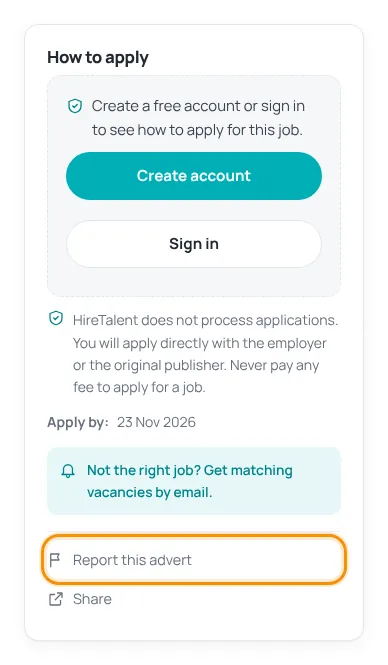
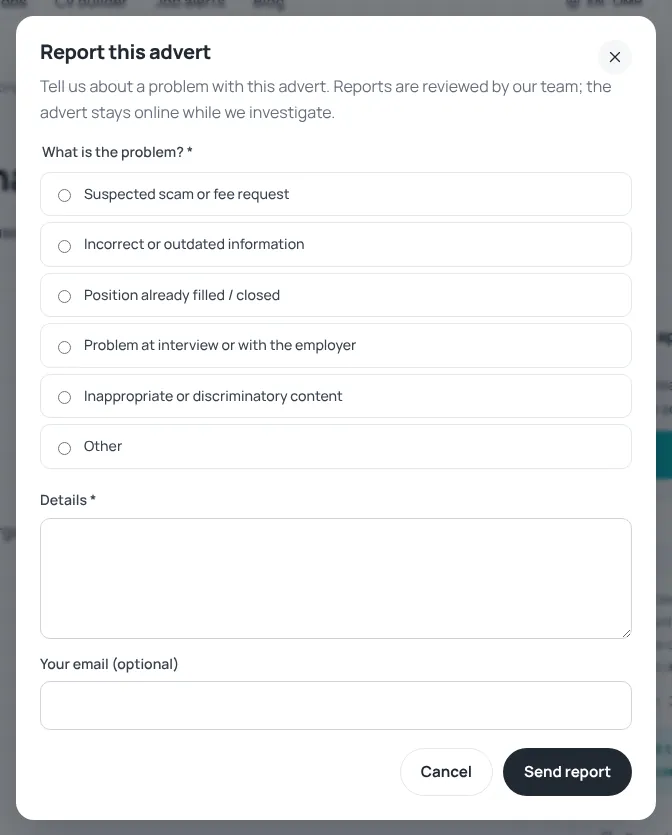
Our team reviews every report. The advert stays online while we investigate, and we remove or correct it if needed.
Signed in and want a reply? Open a support ticket with the topic “Report a job or company” instead.
If an employer asked you for money, do not pay. Report the advert and keep any messages as evidence.
Was this article helpful?
Thanks for your feedback!
Sorry about that. Tell us what was missing in a support ticket and we will help you. Open a support ticket
Related articles
Stay safe from job scamsSearching and applying are free. Learn the warning signs of fake jobs and what to do.Get help with a support ticketThe fastest way to reach our team: open a ticket, follow replies and mark it as solved.Is this your advert? Request removalFor companies that find their vacancy on HireTalent and want it corrected or removed.
