My account is your personal dashboard. Open it from the header once you are signed in. The menu on the side (on a phone: the row of tabs at the top) takes you to each area.
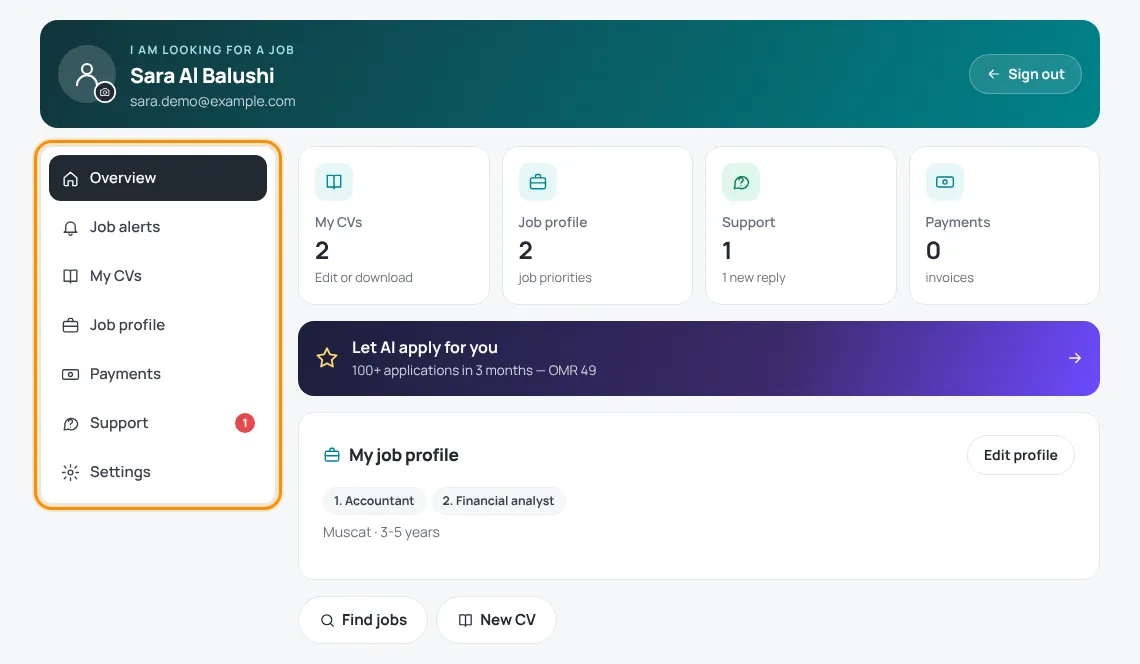
The areas of your account
- Overview — tiles with your CVs, job profile, support tickets and payments, plus quick buttons: Find jobs, New CV and (for employers) Post a new job.
- Job alerts — your alert plan and the paid upgrades. See Job alerts.
- My CVs — the CVs you saved in the CV builder. See Download and save your CV.
- Job profile (job seekers) — what you are looking for; it drives your alerts. See Your job profile.
- My adverts (employers) — your job ads and their status. See Advert review and statuses.
- Payments — orders, pending payments and invoices. See Paying on HireTalent.
- Support — your support tickets. A small number shows new replies. See Support tickets.
- Settings — company details, password, photo and account deletion. See Account settings.
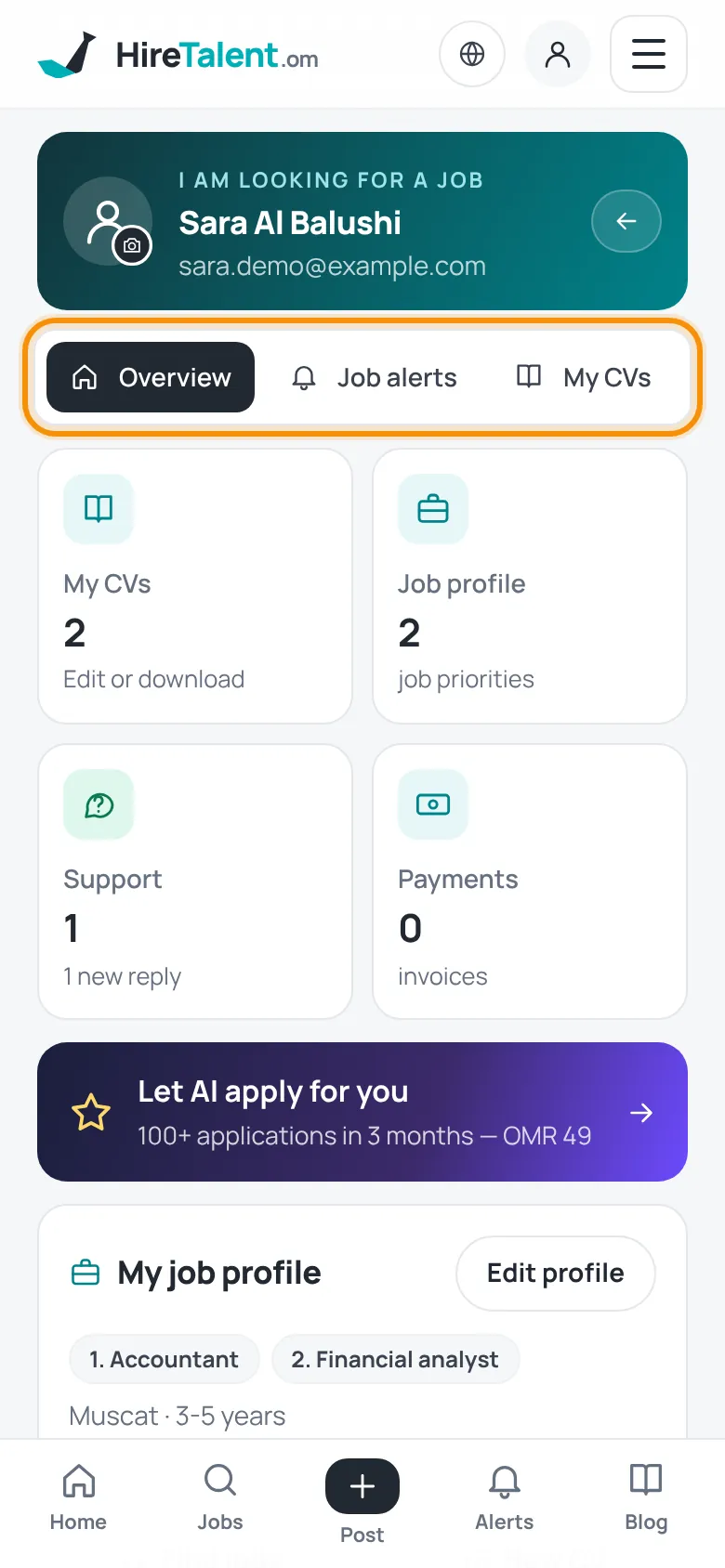
Profile photo or company logo
- In the green box at the top of your account, tap the round picture with the camera icon.
- Choose a photo (JPG, PNG or WebP). It is saved automatically.
Sign out with the Sign out button in the top corner of your account — especially on a shared computer.
Was this article helpful?
Thanks for your feedback!
Sorry about that. Tell us what was missing in a support ticket and we will help you. Open a support ticket
Related articles
Getting started with HireTalentA quick tour of the site: the menu, language and currency, and which free account to create.Account settingsCompany details, hiring and job hunting from one account, password, photo and deleting your account.Get help with a support ticketThe fastest way to reach our team: open a ticket, follow replies and mark it as solved.Your job profileCreate your job-seeker account and tell us what you are looking for — section by section.
