Job alerts email you vacancies that match your job profile: your job titles, sectors, cities, job types and experience. You choose how often they arrive.
The plans
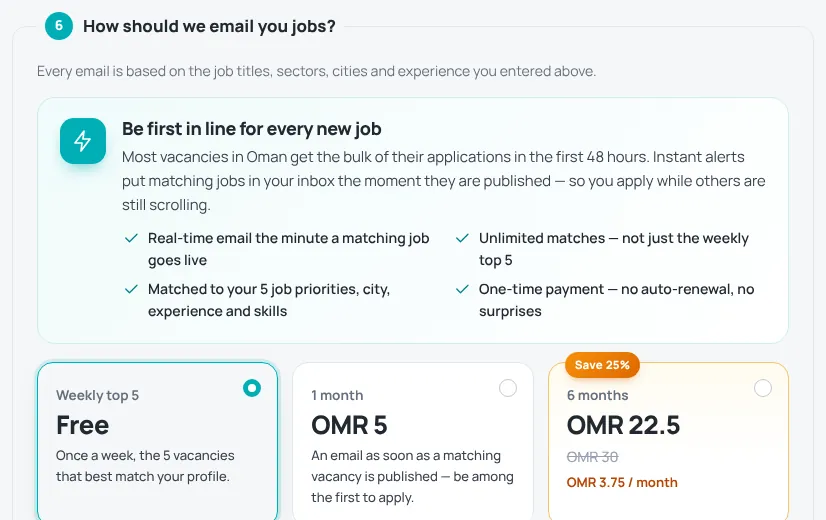
- Weekly top 5 — free. Once a week, the 5 vacancies that best match your profile.
- Instant alerts — paid, 1 month or 6 months. An email as soon as a matching vacancy is published, with unlimited matches. The 6-month option is discounted. It is a one-time payment with no automatic renewal.
- AI Auto-Apply — paid, 3 months. Includes instant alerts for the same 3 months. See AI Auto-Apply.
Current prices are shown on the plan cards and at checkout.
Start or upgrade your alerts
- Create a job-seeker account and fill in your job profile (see Your job profile). In section 6, How should we email you jobs?, choose a plan.
- To upgrade later, open My account › Job alerts.
- Pick 1 month or 6 months and press Get instant alerts.
- Pay securely by card on the checkout page (see Paying on HireTalent). Instant alerts start as soon as the payment is complete.
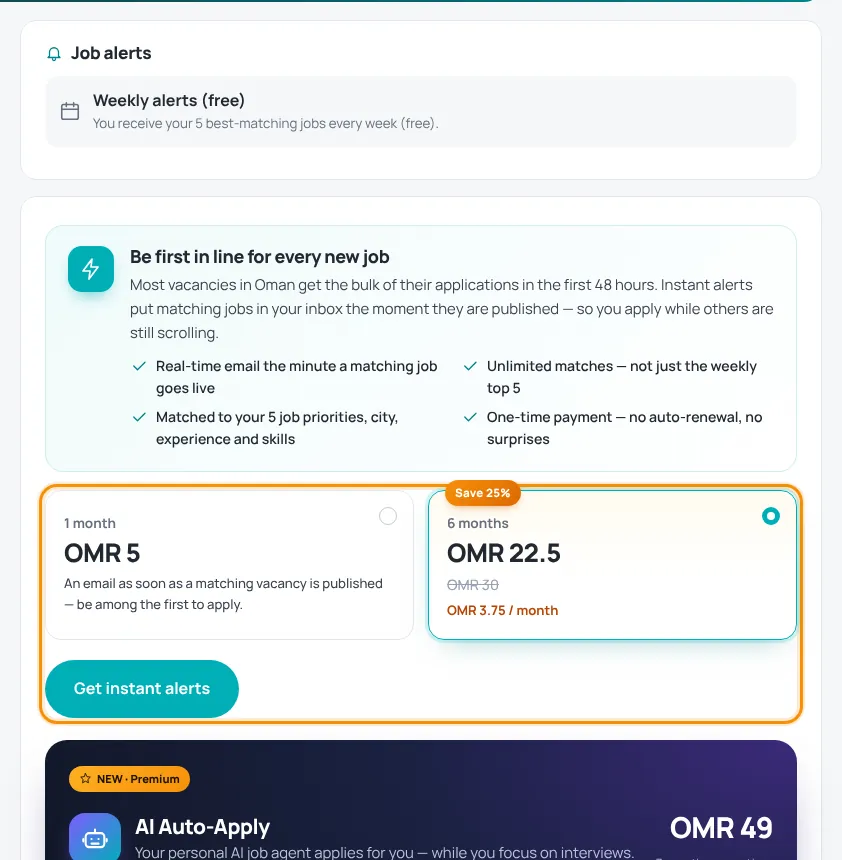
While instant alerts are active, the button changes to Extend instant alerts; new time is added to the end of your current plan.
Better matches
- Put your most wanted job title first — it matters most for matching.
- Add up to 5 job titles with the correct sector.
- Keep your cities and experience up to date.
To stop alerts, see Stop job alerts or emails.
Was this article helpful?
Thanks for your feedback!
Sorry about that. Tell us what was missing in a support ticket and we will help you. Open a support ticket
Related articles
Your job profileCreate your job-seeker account and tell us what you are looking for — section by section.AI Auto-ApplyA 3-month package where our AI job agent applies to matching vacancies for you.Paying on HireTalentHow checkout works: card payment with Thawani, discount codes and pending orders.Stop job alerts or emailsPause job alerts, stop news and offers, or delete your data.
