Manage your adverts from My account › My adverts.
Edit an advert that is not published yet
- Press the pencil icon next to the advert.
- Change the details and press Save changes. There is no fee.
- If the advert was on hold, it goes back to review automatically.
Edit a published advert
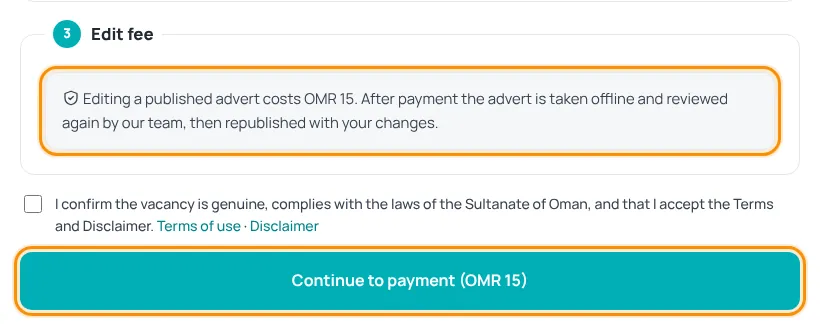
Editing a live advert has a fee, shown on the edit page and on the button. After payment the advert is taken offline, reviewed again by our team and republished with your changes.
- Press the pencil icon (Edit (paid, re-review)).
- Make your changes.
- Press Continue to payment and pay by card.
- Follow the label “Edit in review” in My adverts until it is published again.
Boost a live advert
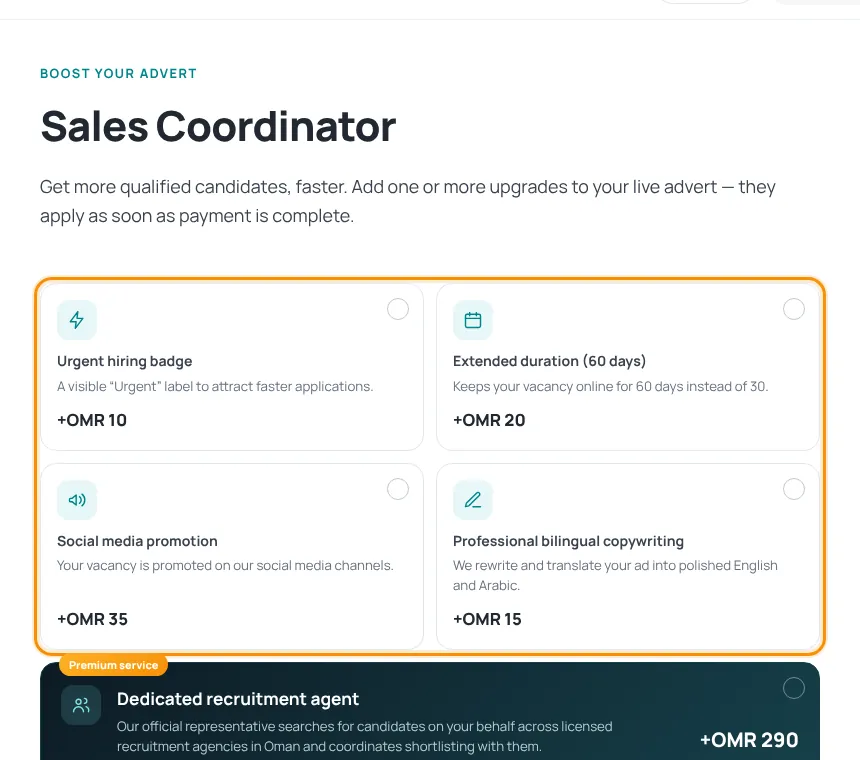
- Press the lightning icon (Boost this advert) next to a published advert.
- Tick one or more upgrades: Featured listing, Urgent hiring badge, Extended duration, Social media promotion, Professional bilingual copywriting or a Dedicated recruitment agent. The total updates as you tick.
- Press Continue to secure payment and pay. Upgrades apply as soon as the payment is complete.
Delete an advert
- Press the bin icon next to the advert and confirm.
- The advert is removed from the site and any unpaid order for it is cancelled.
Deleting cannot be undone. To advertise the vacancy again, post a new advert.
Was this article helpful?
Thanks for your feedback!
Sorry about that. Tell us what was missing in a support ticket and we will help you. Open a support ticket
Related articles
Advert review and statusesWhat happens after you submit, and what each status in My adverts means.Post a jobCreate an employer account, fill in the vacancy, add optional services and submit for review.Paying on HireTalentHow checkout works: card payment with Thawani, discount codes and pending orders.
