Posting a vacancy takes a few minutes. Every advert is reviewed by our team before it goes live and is published in English and Arabic for 30 days.
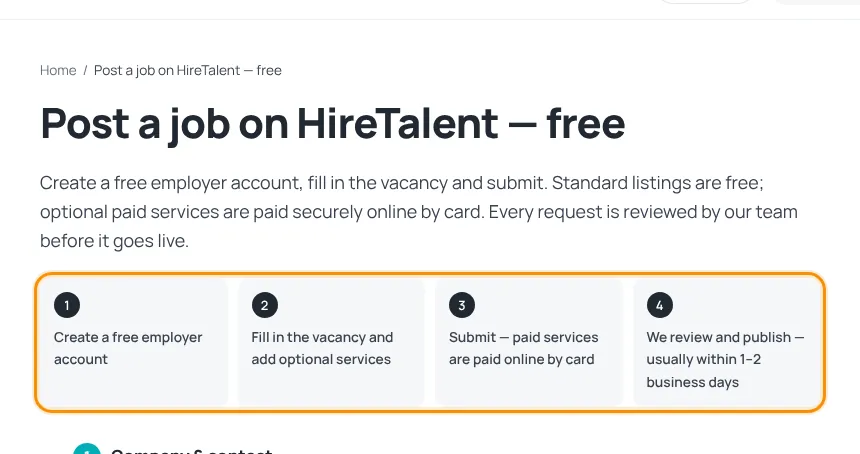
1. Create an employer account
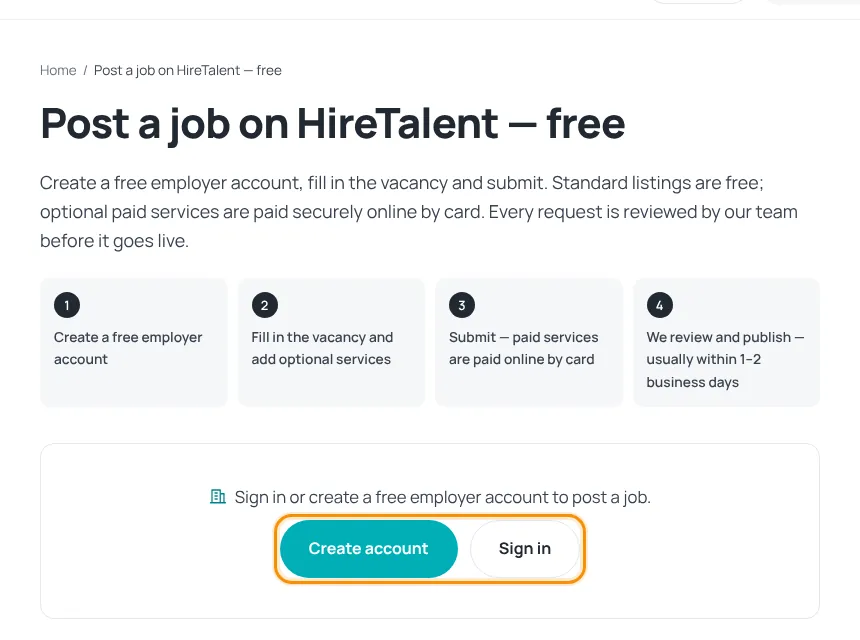
- Click Post a job in the header, then Create account (or Sign in if you have one).
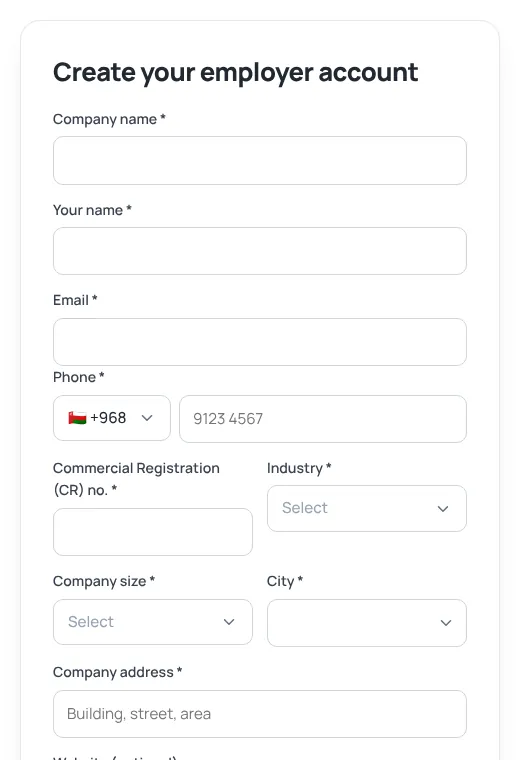
- Fill in company name, your name, email, phone, Commercial Registration (CR) number, industry, company size, city and company address (website is optional).
- Choose a password, accept the terms and press Create account.
- Confirm your email — the link brings you straight back to the job form. See Confirm your email address.
Already have a job-seeker account? Open Settings, open Also hiring?, add your company details and press Save & start posting jobs.
2. Fill in the advert
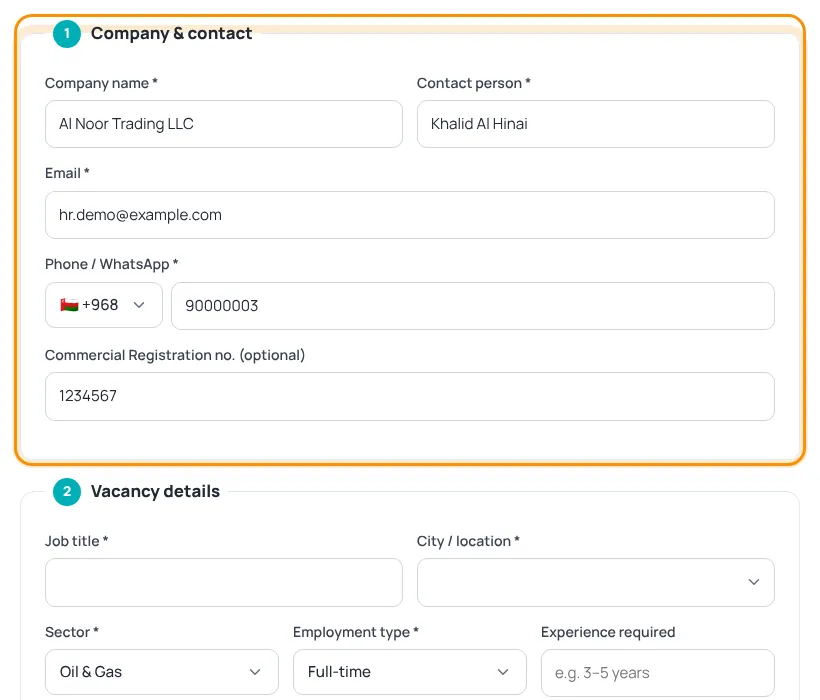
- Company & contact — filled in from your account; check the email and phone.
- Vacancy details — job title, city, sector, employment type, experience, salary (optional but recommended), description, requirements and how to apply (an email address or a careers link).
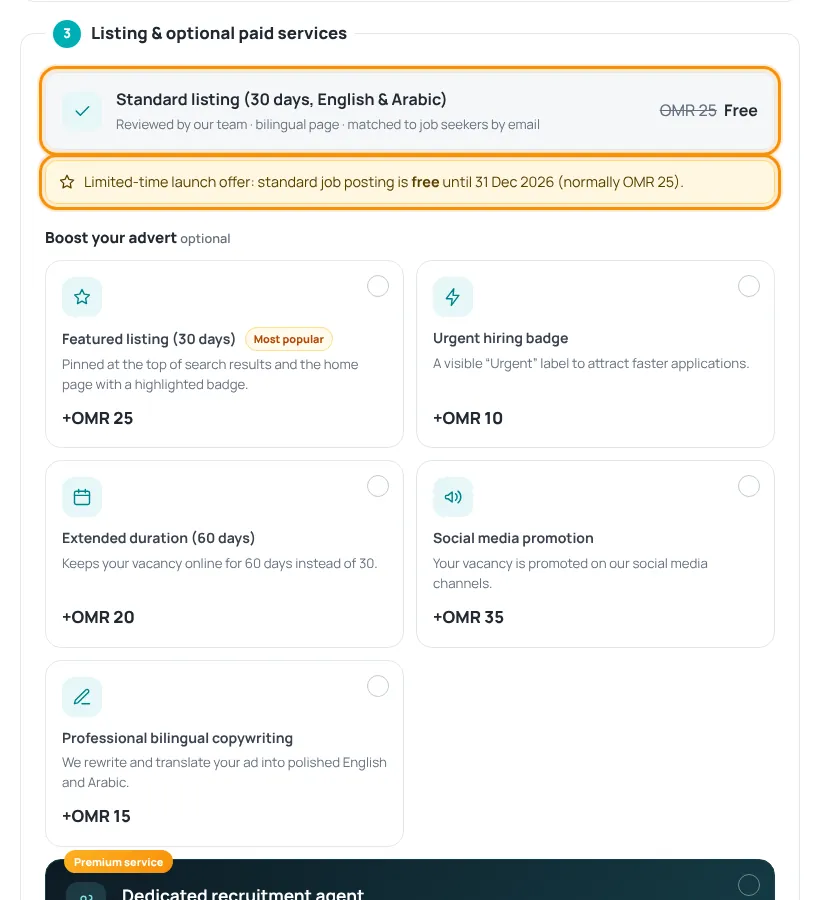
3. Listing and optional paid services
The Standard listing (30 days, English & Arabic) is included. During the current launch offer it is free until the date shown on the page. You can add paid services to reach more candidates:
- Featured listing (30 days) — pinned at the top of search results and the home page.
- Urgent hiring badge — a visible “Urgent” label.
- Extended duration (60 days) — stays online for 60 days instead of 30.
- Social media promotion — promoted on our social channels.
- Professional bilingual copywriting — we rewrite and translate your advert.
- Dedicated recruitment agent — a premium service: our representative searches for candidates across licensed recruitment agencies in Oman.
4. Submit
- Tick the box to confirm the vacancy is genuine and complies with Omani law.
- Press Submit request.
- You get a reference number (for example HT-2026-0123) and an email copy. If you chose paid services, you go to checkout (see Paying on HireTalent).
- Follow the status under My account › My adverts. See Advert review and statuses.
Adverts must be real vacancies. Asking candidates for any fee, deposit or visa payment is not allowed and the advert will not be approved.
Was this article helpful?
Thanks for your feedback!
Sorry about that. Tell us what was missing in a support ticket and we will help you. Open a support ticket
Related articles
Advert review and statusesWhat happens after you submit, and what each status in My adverts means.Edit, boost or delete an advertFree edits before publishing, paid edits of live adverts, upgrades and deleting.Paying on HireTalentHow checkout works: card payment with Thawani, discount codes and pending orders.Confirm your email addressWhy we ask you to confirm your email, what it unlocks and what to do if the email does not arrive.
